Reverse Engineer Any Song on Your Computer for $0
▶ Read as storyYou commented EXPLODE, so here is everything you need. Song Exploder takes any song and hands you every layer: the vocals, the drums, the bass, the chords and every note. It runs on your own Mac using open source AI models, and it costs nothing.
Reading this on your phone? Send yourself the link and open it on your computer. That is where the setup happens.
What you get
The same page you saw in the video
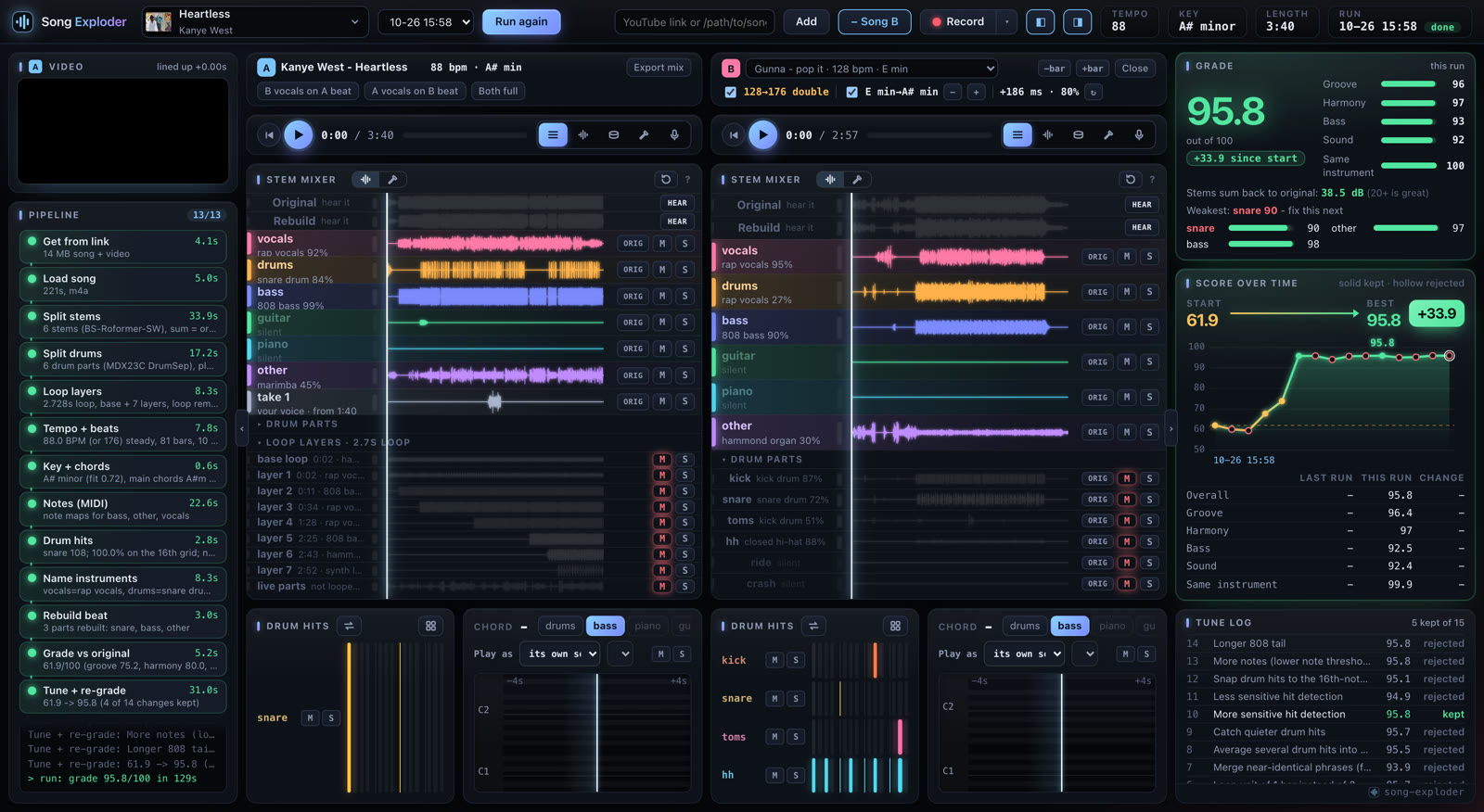
- Every part on its own. Vocals, drums, bass, guitar, piano and the rest, then the drums split again into kick, snare, toms, hats, ride and crash.
- The song’s recipe. Tempo, key, chords, any loop it finds, and a MIDI file of the notes.
- A rebuild of the beat. It remakes the beat from those pieces, scores itself against the original, and keeps trying fixes.
- A place to play. Mute and solo tracks, record yourself singing with auto-tune, play the drum kit, mix in a second song.
Before you start
What you need
- A Mac with Apple silicon, M1 or newer.
- 6 GB of free disk.
- An email address, to sign in. You get a code, no password.
The easy way
One line to paste, once. No Claude Code needed
1. Open Song Exploder and click the Open Song Exploder button.
2. Sign in with the code from your email.
3. Copy the one line the page shows you. Open Terminal (press Command + Space, type Terminal, press Return), paste it, press Return. It takes about 5 minutes the first time.
4. Go back to the page. It connects by itself and you are in. If your browser asks to let the site use apps on this device, click Allow.
Terminal says Homebrew is missing? Install it from brew.sh, then paste the same line again.
The Claude Code way
Already use it? Paste these one at a time
/plugin marketplace add royherma/techguyver-tools/plugin install song-exploder@techguyver-toolsThen point it at a song on your computer:
Explode this song: ~/Downloads/song.mp3Claude installs everything, runs the song and opens the full page for you. Never used Claude Code? Start here.
Your first song
You mostly press play
1. Paste a YouTube link or drop in a song. MP3, WAV, M4A and FLAC all work.
2. Watch the steps tick by. The first song also downloads the AI models, about 2 GB, once. After that a 4:33 song took about 7 and a half minutes on my Mac.
3. Play with it. M mutes a part and S solos it. W, A, S, D and I, J, K, L play the drum pads over the music. Hit Record to sing on top.
4. Take it with you. Export any part as WAV, MP3 or MIDI.
How close the rebuild got
Heartless, the song in the video
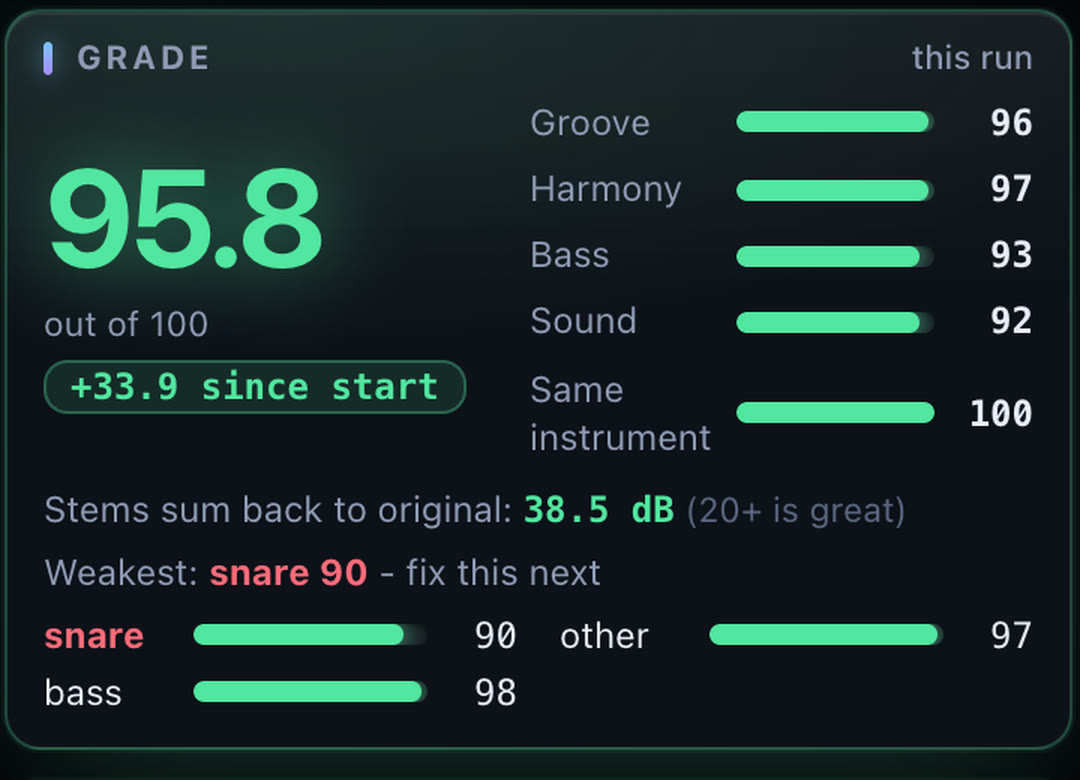
The first rebuild scored 61.9 out of 100. After the fixes it reached 95.8. The score checks four things: whether the hits land at the same moments, whether the same notes play at the same time, the low end, and the overall sound.
What runs on your Mac
The open source models doing the work
- Splitting the song: BS-Roformer
- Splitting the drums: MDX23C DrumSep
- Writing out the notes: Basic Pitch, from Spotify
- Naming the instruments: CLAP
Good to know
Read this before your first song
- Your music stays on your computer. A YouTube link needs the internet to download. The rest runs on your Mac.
- Busy songs score lower. Clean, looping beats rebuild best. Dense or live recordings land lower, and the instrument names are the model’s best guess.
- Other people’s songs are theirs. Use them to learn and practice. Releasing anything made from one needs their permission.