Captions That Ride Your Hand: The Prompt
▶ Read as storyYou commented CAPTION, so here is how I made it. I filmed one take on my phone and asked Claude Code for captions that sit above whichever hand I hold out, then drop onto the other hand when I switch. Under an hour later I had my own preview tool and the finished video.
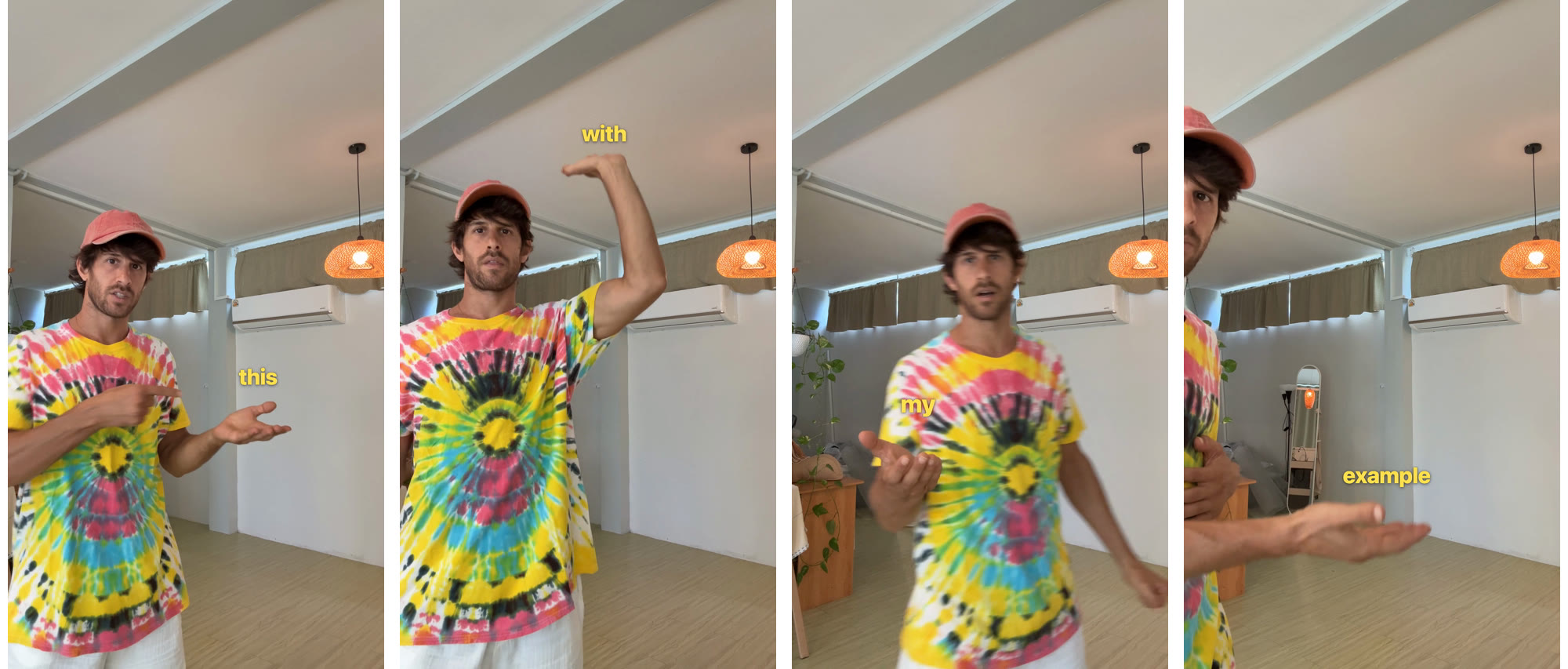
Think outside the caption box
Why this works now
Captions live at the bottom of the screen because placing every word by hand, 30 times a second, was too much work. That job is all numbers: where your hand is in each frame and when each word starts. Numbers are what AI and a few free tools now handle for you.
Once Claude or ChatGPT can drive your editing, you say what you want, look at a draft and say what is off. The same works for anything you can measure: color grading, audio mixing, zooms that follow your face.
The 5 steps
What I did, in order
1. Film one take where your hands do the talking. Hold a palm out like you are handing the viewer the word. Raise it, move it, switch hands. Every move is something the captions can follow.
2. Get every word with its exact time. A speech model on your laptop (Parakeet or Whisper) writes the transcript with a start time for each word. That decides when each word shows up.
3. Track both hands in every frame. Google’s MediaPipe hand tracker finds 21 points on each hand and runs on your laptop. On my take it found a hand in 1,066 of 1,150 frames. The caption sits just above the fingers.
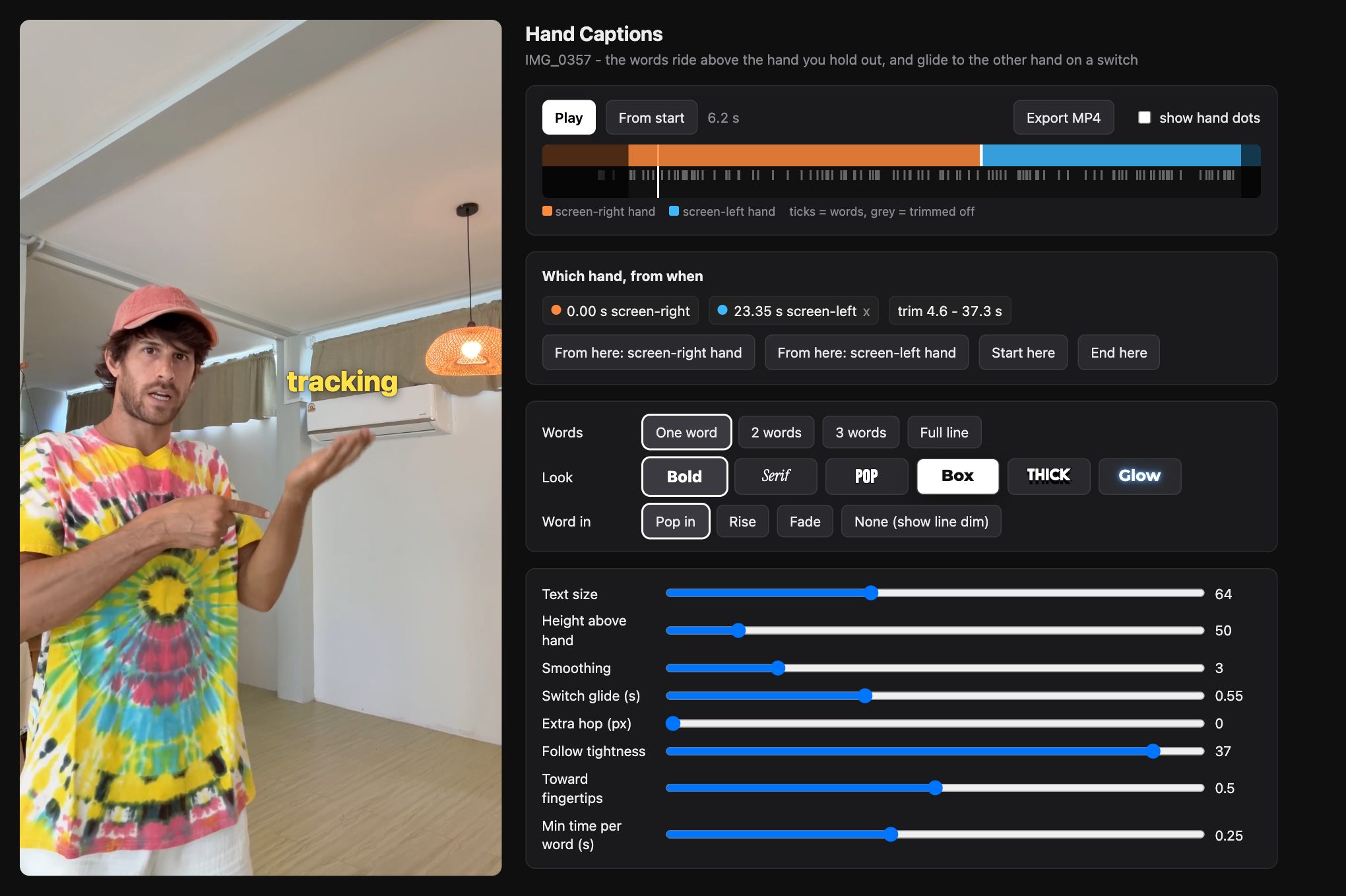
4. Ask for a preview page, not a finished video. The video plays with the captions on top, with buttons for everything: one word at a time or a full line, the look, how each word appears, which hand carries it from when. A slider takes a second to check. A new render takes minutes.
5. Go back and forth until it looks right, then export. Watch it, say what is off in plain words, look again. When it is right, one button renders exactly what the preview shows.
The prompt that builds the tool
Paste it into Claude Code, then drag in your video file
I want captions that ride above my hand in a talking video, like each word sits on my palm, and jump to my other hand when I switch.
Video file: <drag the file here>

1. Transcribe the audio with a start and end time for every word (Parakeet or Whisper, running locally).
2. Track both of my hands in every frame with MediaPipe Hand Landmarker (21 points per hand). Decide which hand is my left and which is my right from the tracker's own left/right label and where each hand was one frame before, so the two never swap when my hands get close.
3. Build me a local preview page: the video with the current word drawn just above my hand, between my palm and my fingertips. Smooth the movement so it does not shake, but keep it on the hand.
4. On the page give me: a timeline of which hand carries the caption from when (with a button to switch hands at the current time), start and end trim, one word / 2 words / 3 words / full line, a few caption looks, how each word appears (pop in, rise, fade), and sliders for size, height above the hand, smoothing and how fast it moves between hands.
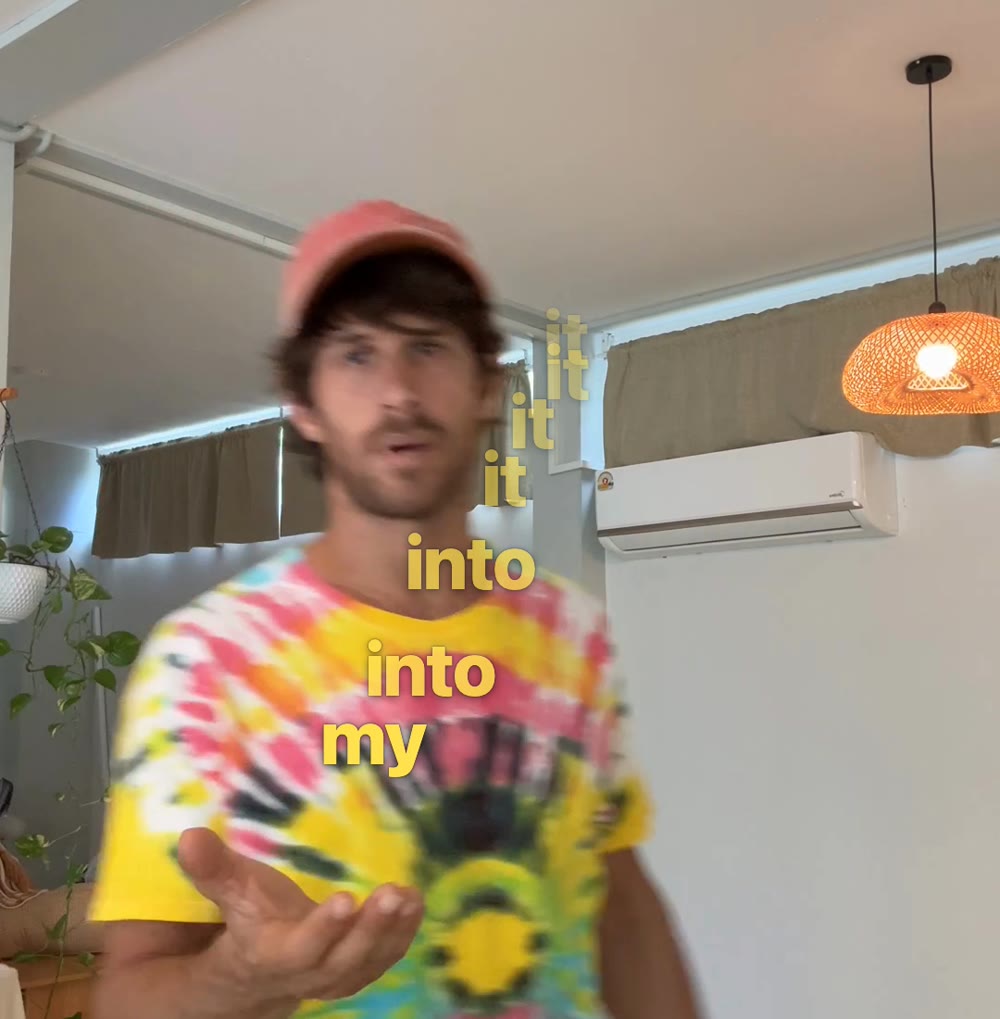
5. When I switch hands, the caption travels in an arc and drops onto the other palm, not in a straight line.
6. Add an Export MP4 button that renders exactly what the preview shows, with my original audio.

Show me the page first. I will tell you what to fix.
What I told it along the way
Five notes took it from first draft to the reel
- “Let me pick one word at a time, and different looks.” Buttons for one word, 2, 3 or a full line, and six looks.
- “It sits behind my hand, it should be above my palm.” The first version only knew my wrist. The 21-point hand tracker put the word over my fingers.
- “Make it arc and drop onto my other hand.” The word now drifts sideways and falls onto the palm, faster at the end like something dropping.
- “It jumps to the wrong hand when my hands are close.” The tracker had counted one hand twice. Merging those fixed every swap.
- “Start right on ‘this’ and show it longer.” The video opens with the first word already on my hand, and every word stays up at least a quarter second.
Good to know
- Preview first, export last. Every note above took seconds to check in the preview.
- It all runs on your laptop. The hand tracker and the speech model cost nothing to run.
- One chat, under an hour. From the raw phone take to the exported video in a single Claude Code session.
Running a business? Tell me about it and I'll send back what I'd do with AI. Free.