Free AI Voice Isolation Without a Microphone
▶ Read as storyYou commented SIDON, so here is everything you need. One prompt, pasted into Claude Code, gives you a free voice cleaner on your own computer. You drop in a video filmed on your phone, and you get it back with just your voice: no room echo, no hum, no music behind you.
Reading this on your phone? Send yourself the link and open it on your computer. That is where the setup happens.
Hear it first
Same 12 seconds, phone only, music playing in the room
Before, straight off the phone:
After, cleaned by Sidon, nothing else touched:
Both play at the same loudness, so the after does not win just by being louder.
What you end up with
Two things on your computer
1. A page in your browser. Drop a video on it, wait a few seconds, flip between Before and After to hear the difference, then download the clean version. Mine looks like this:
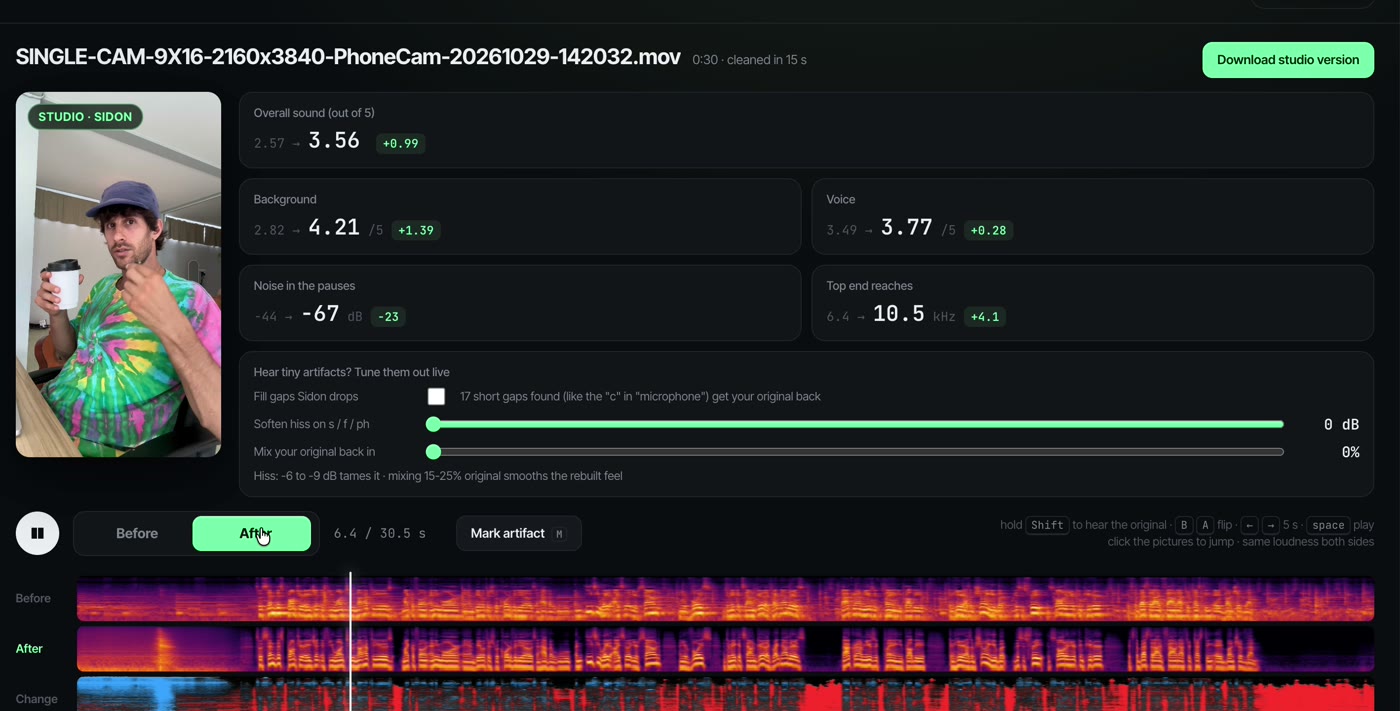
Yours starts simpler. Below are the prompts I used to add the extras.
2. A clean command for when you skip the page: clean my-video.mov writes a clean copy right next to the original.
Either way the picture is copied untouched. Only the sound changes, and the clean file drops straight into CapCut or any editor.
Before you start
What you need
- Claude Code. It is the AI that does the setup for you. Never used it? Start here.
- A computer with about 2 GB free. Sidon downloads once, about 1 GB, plus the parts it runs on. I run it on a Mac with no graphics card.
- Nothing else. No account, no API key, no subscription. Your videos never leave your computer.
The prompt
Copy it into Claude Code
set up Sidon on my Mac. free voice cleaner, makes my recordings sound studio

model: huggingface.co/sarulab-speech/sidon-v0.1 (CPU files)
code: copy it from the HF space sarulab-speech/sidon_demo_beta

make me a command: clean <video>
pull the audio out with ffmpeg, run Sidon, keep the same loudness, put it back on the video

then a little page where I drop a video and flip before / after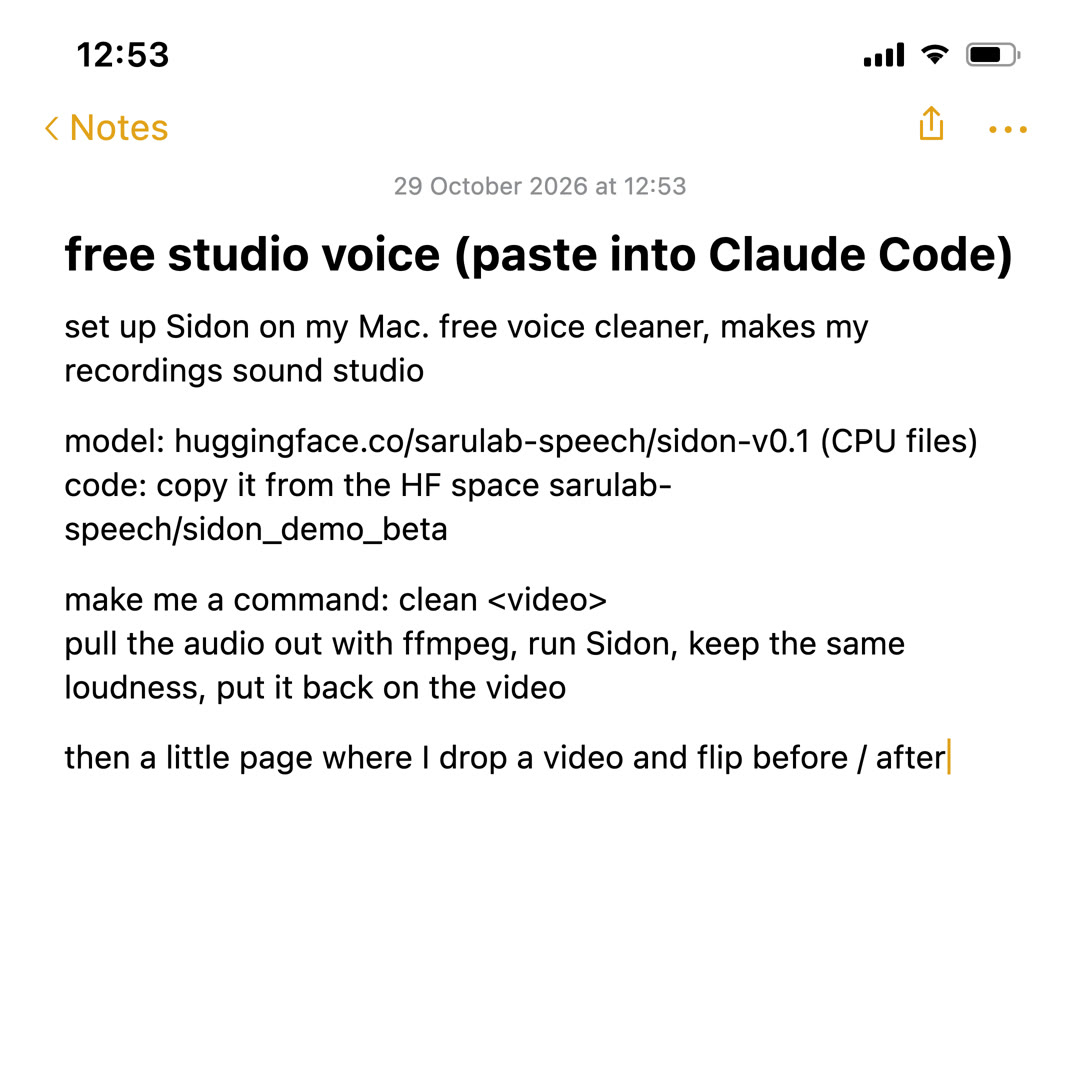
Same text as a screenshot, if that is easier.
What happens when you paste it
You mostly watch and say yes
1. Claude asks before it runs anything. Say yes. It installs ffmpeg (the free program that reads video files) and the Python parts Sidon needs.
2. It downloads Sidon. About 1 GB, once. Later runs start right away.
3. It writes the clean command and builds your page, then tells you the address to open it, something like localhost: and a number.
4. It tests on a video. Point it at one of yours: “use the video on my Desktop”.
Something fails? Paste the error back to Claude and say “fix it”. That is the whole skill.
Using it on every video
About half the length of the video, once it is set up
1. Ask Claude “open my Sidon page” (or run clean on the file).
2. Drop the video in. A 30 second clip took 15 seconds on my Mac, a 5 minute one about 2 minutes.
3. Flip Before and After. Happy? Download, then edit as usual.
Make it yours
Paste any of these after the first prompt
Hear the original on demand:
add a key: while I hold Shift, play my original audio instead of the clean oneHiss on s, f and ph sounds:
add a slider that turns Sidon down above 8 kHz, 0 to -12 dB. -6 to -9 usually fixes the hissSounds a bit too clean, almost robotic:
add a slider that mixes my original voice back in, 0 to 50%. start at 20%A whole batch at once:
let me drop a folder and clean every video in it, one after the otherProof it got better:
show a spectrogram of before and after on the page, and the noise level in the pauses before vs afterGood to know
Read this before your first video
- It takes the music out too. Film without music, clean it, then add your music in the editor.
- One voice works best. It is made for a person talking: reels, Zoom calls, podcasts.
- It is free for good. Sidon is open, MIT licensed, and runs on your computer, so there is no meter running.
What changed on my take
Measured on the 30 second clip in the reel
- Room noise in the pauses: -44 dB to -67 dB. The gaps between words go quiet.
- Overall sound: 2.57 to 3.56 out of 5. Scored by DNSMOS, a Microsoft model that predicts how a listener would rate it.
- Brighter voice: top end from 6.4 kHz to 10.5 kHz. Phone audio sounds dull because the highs are missing. Sidon rebuilds them.
- 1 word in 80 heard differently by a speech-to-text model, one dropped “a”. Your words stay your words.
Why Sidon
I tested a bunch of free voice cleaners on my own takes. This one won.
It runs on your computer, costs nothing, and the after sounds like a mic was clipped on.