I Used Claude Code to Edit This
▶ Read as storyYou asked for the prompts. Here they are, word for word, plus how the whole video came together. Copy them. Swap in your own take and your own worlds. New to Claude Code? Start with Claude Code for beginners.
The video
Watch it first
A joke on the viral “I used Claude Code to edit this” videos. I say “edit this” and the edit takes over. I say “take me back” and it takes me back in time, every time a little further.
Five jobs, five tools
What I used
- The take: one 32 second video on my phone
- Cuts, color, freeze frame: Claude Code
- New worlds behind me: Seedance 2.5 in Runway, draft mode
- Changing what I say: Gemini Omni 1.1 Flash in Runway
- Final sharpness: Runway 4K upscale, once at the end
Claude ran Runway for me. Runway has an MCP, a plug that lets Claude use Runway directly.
The recipe
5 steps, in this order
1. Film one take. 2. Let Claude trim it. 3. Swap the world with one line. 4. Change the last line. 5. Let Claude finish the edit.
Film one take, say every line
Step 1 of 5
One take, no stopping. I started on the couch, then walked out the door into the garden. Every world in the video is painted over this one clip.
Say the lines even if you will fix them later. I forgot the punchline. Step 4 fixed it.
Let Claude trim it
Step 2 of 5
Claude read every word and cut the dead parts. The false start, 5 seconds of silence, and the walking between lines. 32 seconds became 20.
Cut on the word. The world changes right on “this”. Claude cuts in the quietest spot next to each word, so no word gets clipped.
Swap the world with one line
Step 3 of 5
Seedance 2.5, video to video. The only thing it gets is the trimmed clip. No pictures, no references.
Prompt 1, the Venice feast. Draft at 480p, 7 seconds.
Change the background reality to a lavish Renaissance feast in a Venetian palace, nobles eating and talking during a daytime feast. Keep everything else the same.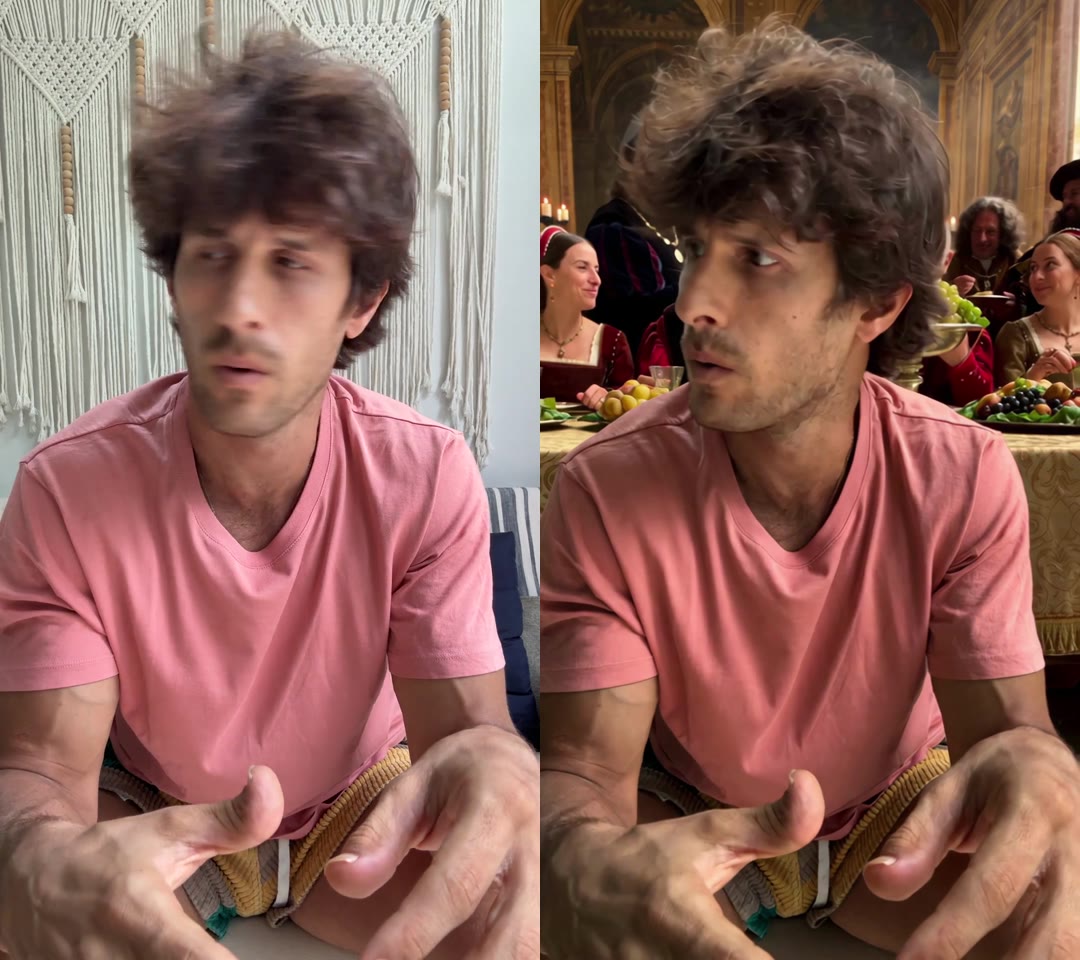
Left: my living room. Right: what Seedance made of it.
Prompt 2, the cave. Draft at 480p, 15 seconds. Word for word, typos included.
Change the background to a stone age cave mouth at daytime, a tribe of cavemen in furs crowding around one caveman who just made fire, cheering and pointing, Celebrate, but also notice the person holding the camera and are starting to be reacting in suspicious to him. Keep everything else the same.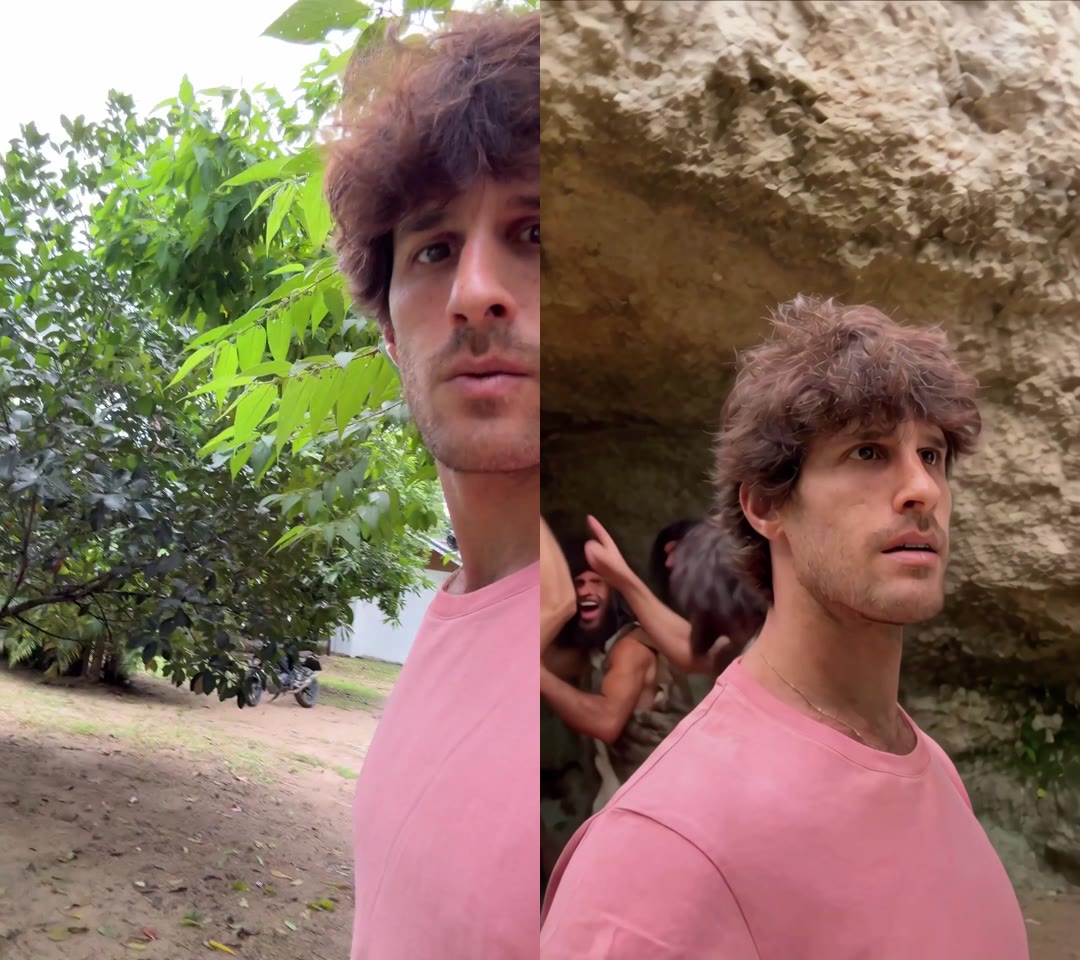
Left: my garden. Right: the cave.
Keep the prompt short
Step 3, the rules
Rule 1: one line. What to change, then “Keep everything else the same.” My first prompts were long, with words like selfie and handheld. Seedance redrew the whole shot.
Rule 2: always set 9:16 and the length. Leave them out and Seedance gives you a 5 second wide video, even from a vertical clip.
Rule 3: try two worlds as drafts, keep one. Venice beat Florence. Me in the middle of the dinner, every person moving their own way.
The one I didn't use
Change the background to a stone age sacrificial ritual at daytime, cavemen in furs and bone necklaces chanting around a stone altar and a big bonfire. Keep everything else the same.Change the last line
Step 4 of 5
I never filmed the punchline. Gemini Omni changed what I say in the last 3.2 seconds.
And he's the the main character's monologue change changes to "I think I'm going to try ChatGPT"That is my voice-typed prompt, word for word. It still worked. The prompt doesn’t have to be pretty, it has to be clear about the change.
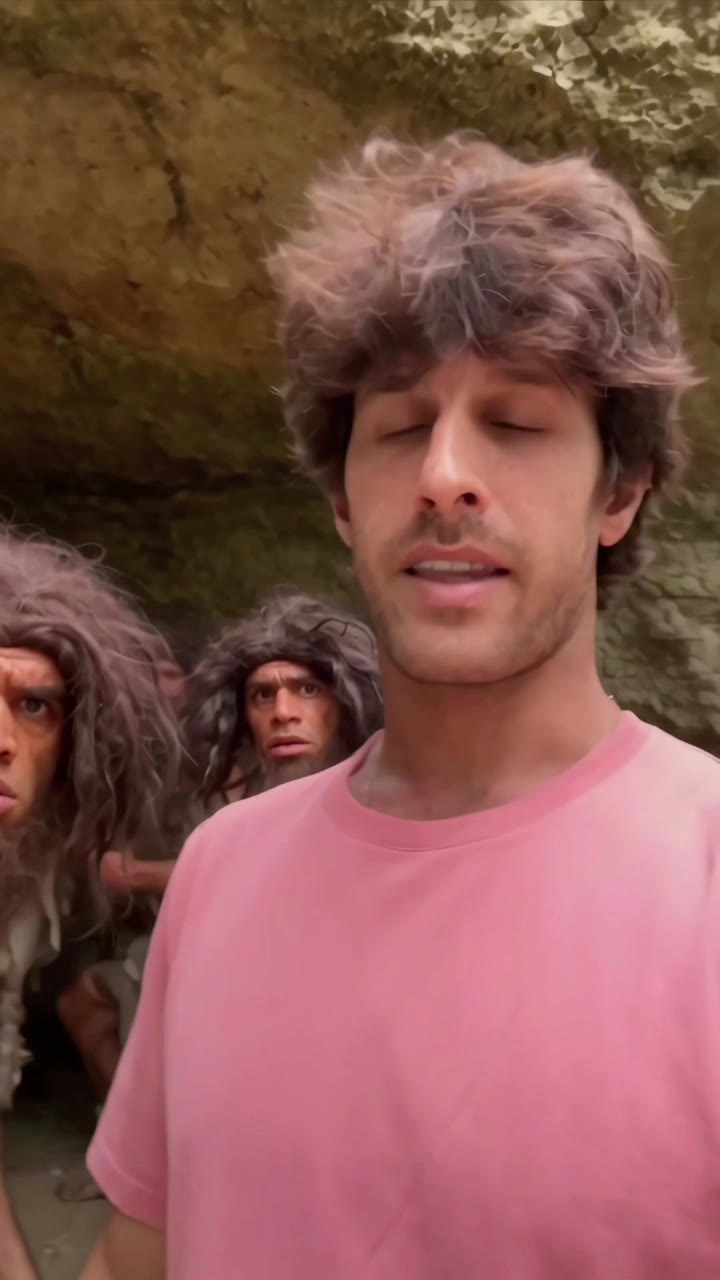
The line I never said.
Then upscale, once. Every clip went to 4K at the very end. Drafts for the tries, 4K for the keeper.
Let Claude finish the edit
Step 5 of 5
Claude built the edit as a HyperFrames project. HyperFrames makes a video out of a web page, so every cut is a line of code. I got two sliders to drag.
Match the colors. My room and the cave look nothing like Venice. Claude moved the room shot 70% toward the Venice colors and the cave shots 50%, so the cuts don’t jump.
Freeze on the stare. When the caveman turns to the camera, the frame freezes for 1.2 seconds and zooms in with a little shake. I tried four sounds on it and kept one.
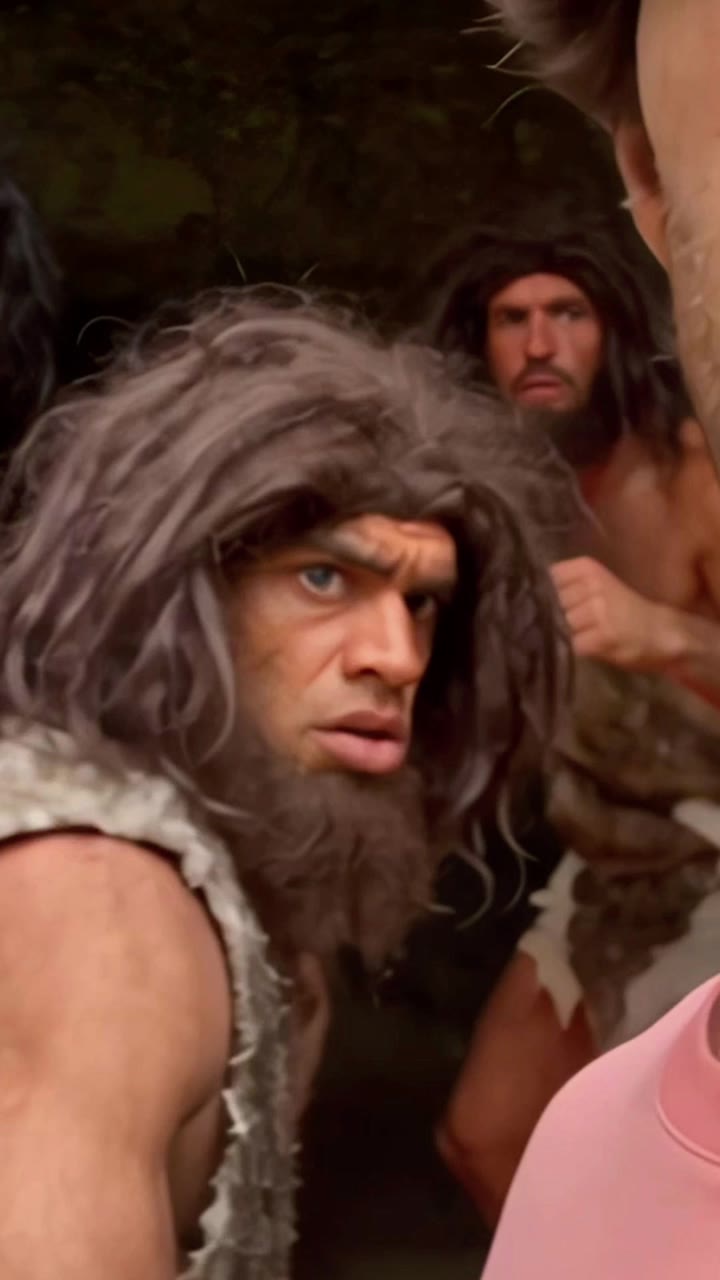
The freeze frame.
Build a tool, not a flow
The idea behind the video
A small interface you reuse beats a prompt you rewrite every time. The sliders, the cut list and the render are mine now. The next video starts from them.
Make it your own system. Built around your taste and your content, not someone else’s template.
Hook it up to the AI and data you already have. This one used Runway’s MCP for the backgrounds, while Claude did the cuts, the color and the freeze frame.
The real trick is doing it once first. Video one is hard. Video two is half the work. By video three you get the point.
The whole lesson
What people asked
Questions
Can ChatGPT make this video for me?
ChatGPT in the browser can write the prompts. It can’t open your video, cut it or run Runway for you. For that you need an AI that works on your computer.
Do I need Claude Code or Codex on my computer?
Yes, one of them. Claude Code and Codex run on your computer, inside a folder. They can open your clips, run the editing tools and use Runway through its MCP. I’m making a separate video on setting it up.
Claude Code or Codex, which one?
I made this one with Claude Code. Pick the one whose plan you already pay for and start there.
Do I need to know how to code?
No. I told Claude what I wanted in plain words. It wrote the code, I dragged the sliders.