How I Edited the Super Yapper Video
▶ Read as storyYou saw the comment, so here is how it was done. The video jokes that AI editing makes anyone look like they hired a team. Then it proves it: one take on my phone, and Claude Code did the rest. New to Claude Code? Start with Claude Code for beginners.
The video
Watch it first
What is in it
The numbers
- 1 take on my phone, 44 seconds, no cuts and no zooms
- 47 pictures, each one shown on the word that names it
- 69 sounds, a note on every picture, timed to the word
- 9 handwritten notes above my head that add the joke I did not say out loud
- $0 for the pictures: an image model running on my own laptop made every one
The recipe
5 steps, in this order
1. Film one take. 2. Tell Claude the vibe. 3. A picture on every thing you name. 4. Turn the sounds into a tune. 5. Add the side notes.
Film one take
Step 1 of 5
Talk straight to the camera and do not stop. No script on screen, no second try. A funny take needs its rhythm, so nothing gets cut out of this one.
Tell Claude the vibe
Step 2 of 5
I did not describe edits. I described the feeling. This is close to what I said, word for word:
Here is my video. It's humorous, so no cuts. Mostly add overlays: pictures and text on the things I say. When I list things in a row, make it rhythmic and playful, like notes that go up on each item, on the beat.Claude read the transcript first. It found the lists (“thousands of dollars, hired a bunch of people, to edit this video, and do the research”), the punchline (“very, very easy”) and the loudest words, then planned the edit around them.
A picture on every thing you name
Step 3 of 5
Every noun gets a picture, on its word. “Super yapper” gets a guy screaming into a mic. “Polished” gets a shiny red car. “Convincing” gets Pinocchio.

Every picture in the video. All made on my laptop for free.
One picture at a time, always in the same spot. My first version showed four at once. Too busy. One picture next to my face that hard cuts to the next one is cleaner and snappier.
It gets faster as the video goes. The hook holds one picture for the whole first line. By the end a new one lands about every 0.8 seconds.
Turn the sounds into a tune
Step 4 of 5
Each picture plays the next note up. Every phrase climbs and lands back home on the root note, so it sounds finished instead of cut off.
The jokes get their own sounds. The list of costs climbs eight notes, then a record scratch cuts it off on “in fact”. “Easy” gets a ding. The last word ends on a full chord and a deep boom.
Add the side notes
Step 5 of 5
Handwritten notes above my head say what I am thinking. “0 research, 100% confidence.” “Polished ≠ true.” “…like this video.”
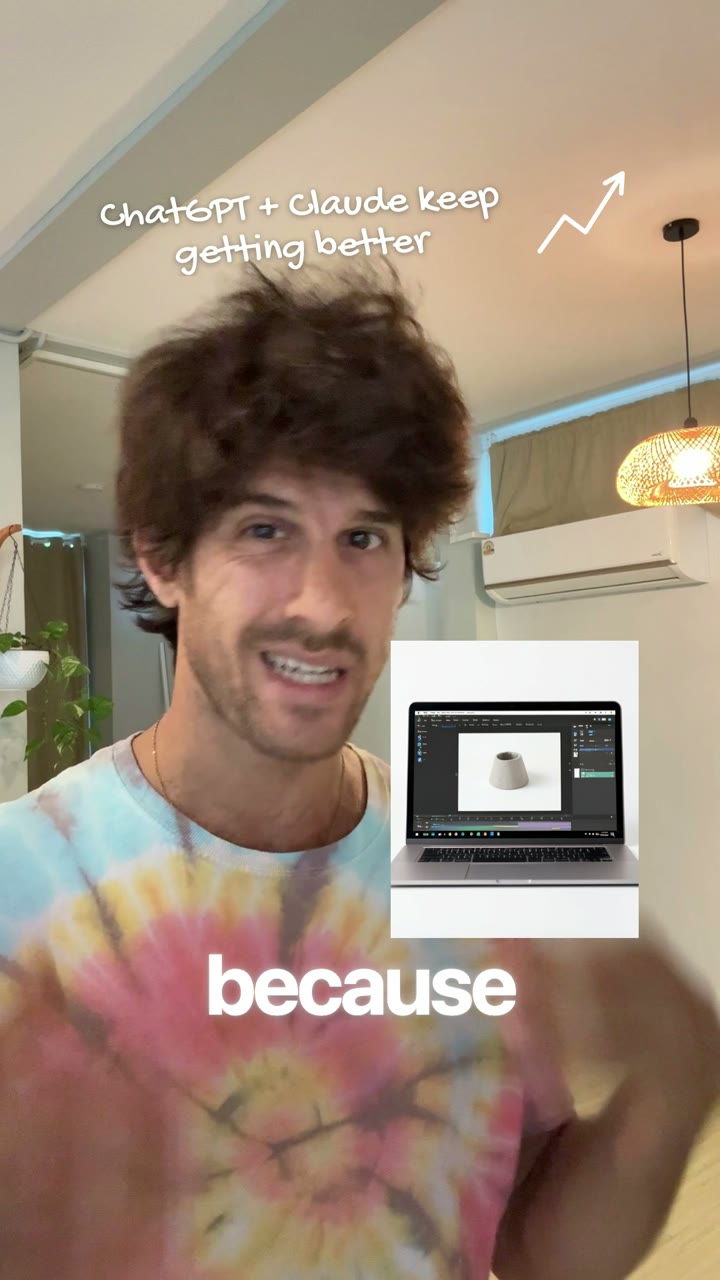
Each note gets its own mark: an arrow up for “getting better”, a circle, an underline.
The point of the video
Why it matters
A polished video is not proof that someone did the work. This one looks like a team made it. It was one take and a conversation with Claude. So when something looks expensive and sounds sure of itself, check who made it and why.